Watch a whole lesson happen below — the board, the laser, the notes that write themselves, and the cheatsheet you cut straight onto the page mid-explanation.
Teach maths the way you'd teach in person — only better.
A built-in video room sits beside a pressure-sensitive whiteboard designed for mathematics. Everything you write appears on your student's screen instantly — and they can talk back with a laser.
A real maths ink engine
Fountain, ballpoint & brush nibs with pressure, auto-shape snapping for circles, triangles and rectangles — and hold-to-line: pause mid-stroke and it becomes a perfect line you can rotate in 15° steps.
Two-way lasers, with names
You teach with a named cursor; students point back with a named laser. Everyone always knows exactly where to look.
AI lesson notes, per section
Type a topic and generate structured notes — theory, worked examples, common mistakes and tips — then drop any card straight onto the board.
Saved notes, available 24/7
Hit Save and the whole board plus its notes attach to the lesson — students revisit every page any time, from any device.
Page 1 / 3 · 90%
Snapped to circle
8.4 u · 15°
Worked example
Solve 2x² − 3x − 5 = 0 …
John Doe
mid-explanation, no tab-hunting
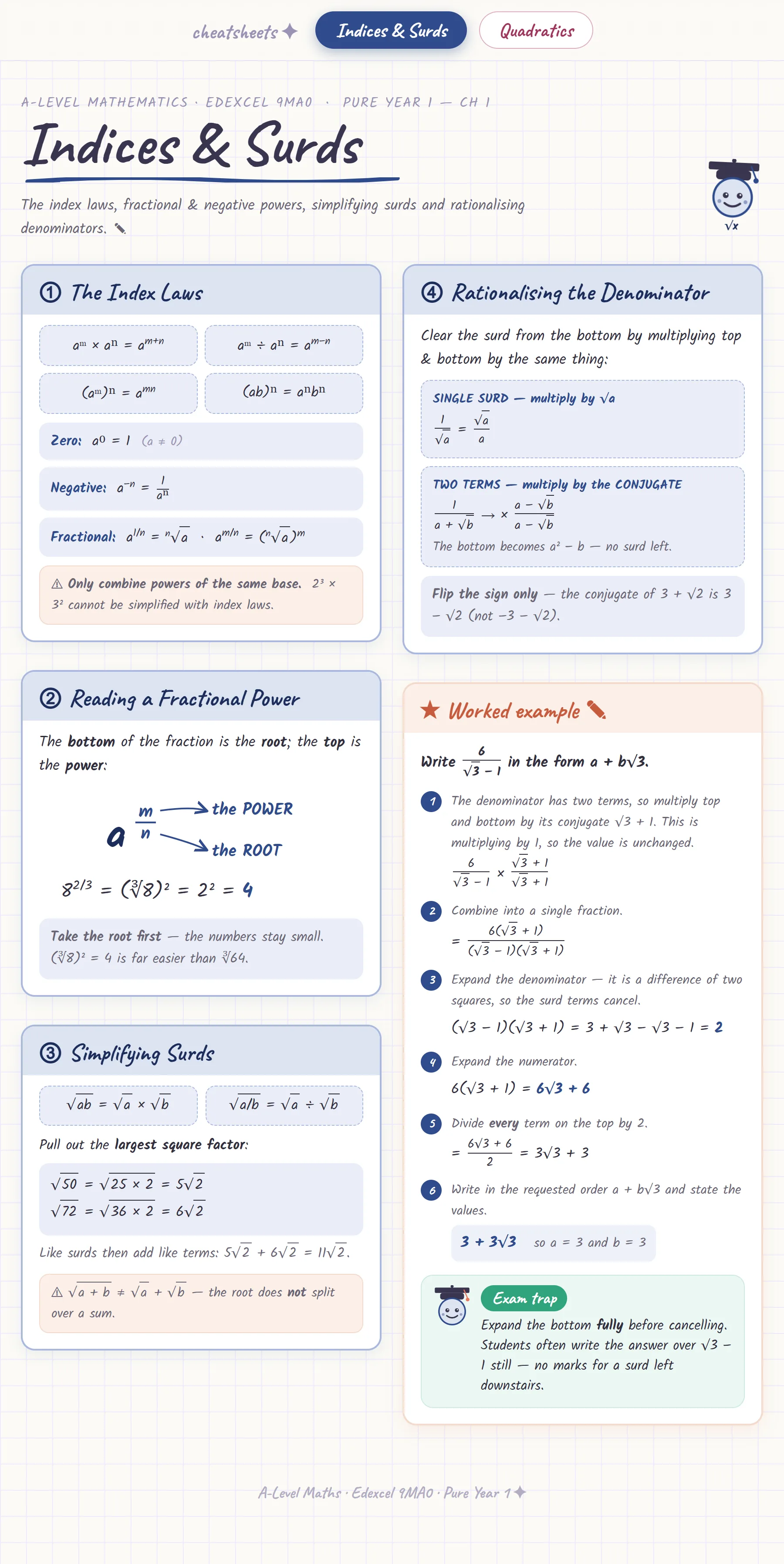
Cut the bit you need onto the whiteboard.
The lesson's own cheatsheets sit in a drawer on the board — the one matching today's title floats to the top.
Drag a box over any region and the crop lands as a real board object: move it, resize it, draw straight over it.
Your student sees it appear, and it saves with the page.
Looping · tap a step to hold it
77
designed cheatsheets
12
curricula, English & Greek
rationalise the bottom →
6√3 − 1 × √3 + 1√3 + 1
= 6(√3 + 1)3 − 1 = 3√3 + 3
Cheatsheets · Pure Y1✕
1Algebra & Quadratics
3Equations & Inequalities
4Graphs & Transformations
7Coordinate Geometry
9Trigonometry
13Integration, Exponentials & Logs
1 · Algebra & Quadratics✂ Snip↗✕
Indices & SurdsQuadratics
Draw straight over it · Select (V) to scroll
✕
Liam is watching this board live
Your whole tutoring practice, in one calm place.
Join maths educators running better lessons, grading faster, and getting paid on time.